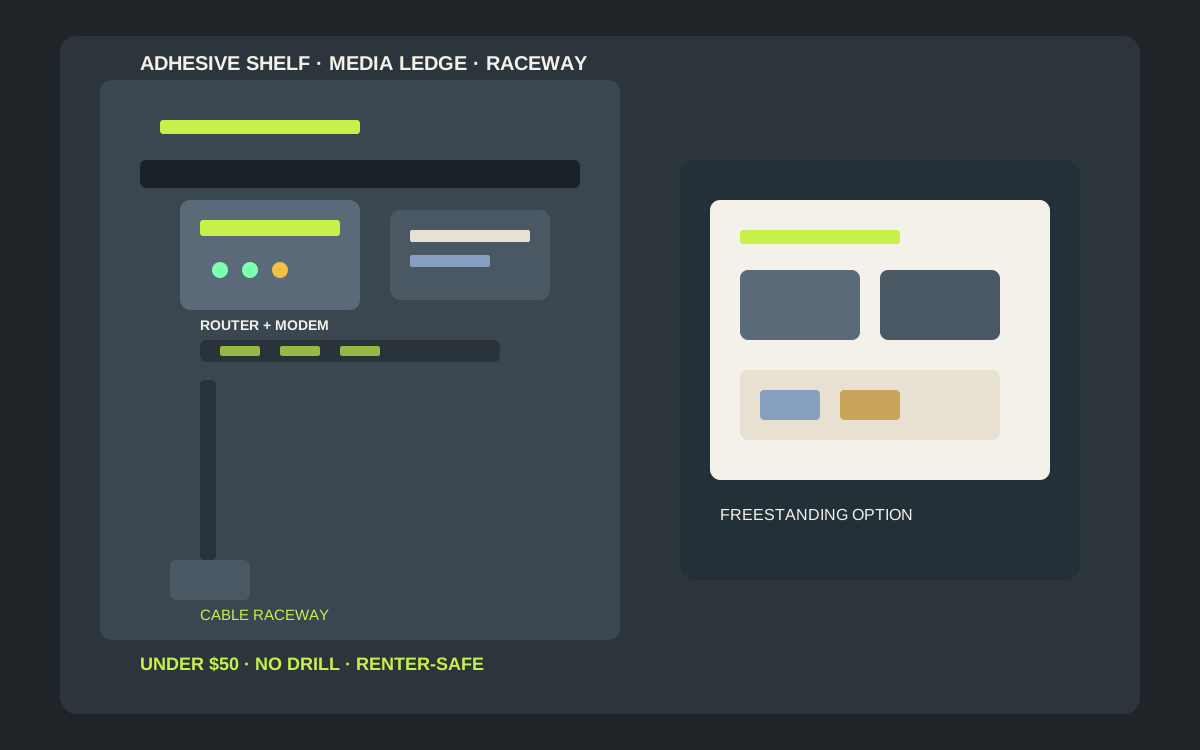
For most apartments, the best under-$50 router and modem upgrade is a slim adhesive floating shelf or media ledge sized for your ISP boxes — no drill, clear vents, and easy move-out. Pair it with adhesive cable clips or a short raceway so power bricks do not yank the shelf. Keep weight honest (many glue shelves are for light décor, not stacked steel gear), leave airflow above and behind the boxes, and check the current dimensions and price on the listing before you buy.
Shop adhesive router and modem wall shelves on Amazon
Who this is for
- Renters who want the ISP modem and Wi-Fi router off the floor without drilling studs
- Apartment dwellers comparing slim adhesive floating shelves with media ledges and raceway kits under $50
- Anyone hiding power bricks and Ethernet clutter while keeping vents clear and weight honest
Quick answer
For most apartments, the best under-$50 router and modem upgrade is a slim adhesive floating shelf or media ledge sized for your ISP boxes — no drill, clear vents, and easy move-out. Pair it with adhesive cable clips or a short raceway so power bricks do not yank the shelf. Keep weight honest (many glue shelves are for light décor, not stacked steel gear), leave airflow above and behind the boxes, and check the current dimensions and price on the listing before you buy.
Quick comparison
| Format | Best for | Typical price band | Why it wins |
|---|---|---|---|
| Slim adhesive floating shelf | Single modem or router off the floor | Usually $12–$35 | Fastest no-drill win; check depth |
| Media ledge / picture ledge | Slightly deeper boxes; books + gear | Usually $15–$40 | Front lip helps; still light-load |
| Adhesive shelf + cable raceway kit | Hide coax, Ethernet, and brick cords | Usually $20–$50 | Cleaner look; buy as combo or pair |
| Freestanding media / AV shelf | Heavy dual-box stacks or weak paint | Usually $25–$50 | Zero wall risk; uses floor/furniture |
What to look for
Shelf depth and footprint for ISP boxes
Measure your modem and router depth before you buy. Many apartment units use chunky ISP gateways; a shallow décor ledge that looks fine in photos may leave the device overhanging. Prefer a shelf with a front lip or raised edge so vibration and cable tug do not walk the box off. Check the current dimensions on the listing before you buy.
Weight honesty and adhesive cure
Routers and modems are denser than picture frames. Prefer kits with clear maker weight guidance for painted drywall, wait the full cure time before loading, and avoid textured or freshly painted walls. If your combined modem + router + bricks feel heavy for a décor shelf, split them across two mounts or use a freestanding media stand — confirm the weight rating first.
Heat, vents, and signal path
Plastic shelves that wrap three sides of a hot gateway can trap heat. Leave open air above and behind vent grilles. Mounting high and open often helps Wi-Fi; stuffing the unit inside a closed cabinet for “clean look” can hurt both temperature and signal. Keep metal raceways from fully boxing antenna paths when you can.
Cable management and renter removal
Power bricks and thick coax are what peel adhesive. Support cables with clips or a short raceway so weight hangs on the wall, not the shelf edge. On move-out, unload devices first, warm-strip strips per the maker’s method, and wipe residue — do not pry loaded shelves off painted drywall.
Adhesive shelves vs ledges vs freestanding
When the slim floating shelf wins
If you have smooth painted drywall, one ISP gateway or a compact router, and a clear wall near the coax drop, a slim adhesive floating shelf is usually the best under-$50 pick: minutes to install, no holes, and the whole setup leaves with you.
When a media ledge is smarter
Choose a picture-style ledge when the device is deeper than a décor shelf or you want a front lip so cable tug does not walk the box forward. Still treat it as light-load storage — verify live ratings.
When freestanding beats glue
Skip adhesive if walls are textured, humid, freshly painted, or you stack modem + router + UPS brick on one shelf. A compact freestanding media shelf or AV stand under $50 keeps weight on the floor and still frees the coffee table.
Pairing with cable clips and raceways
The shelf solves height; clips and raceways solve the spaghetti. Many renters buy a shelf under $30 and a clip or raceway multipack so bricks rest on the wall path instead of dangling from the device ports.
How to choose the right capacity
Measure devices and the wall drop first
Note modem/router width, depth, and where the coax or Ethernet enters the room. Leave a few centimeters of vent clearance above the box. Confirm the adhesive pad footprint fits between outlets and trim.
Match depth to the deepest box
Shallow décor shelves suit slim Wi-Fi routers; ISP combo gateways often need deeper ledges. If the device overhangs more than a little, size up or split mounts.
Plan brick support separately
Power supplies are heavy for their size. Rest them on a second small shelf, a raceway shelf, or furniture — do not let them hang from the router’s DC jack while the shelf takes all peel force.
Treat under-$50 bands as moving targets
Check the current dimensions, ratings, and price on the listing before you buy.
Installation that survives rental life
Clean, dry, smooth paint only
Wipe dust and oils, skip damp or cold walls, and follow the maker’s cure window before you set the modem down. Adhesive fails fastest on dusty baseboard-height paint and popcorn texture.
Dry-fit cables before final stick
Hold the shelf at height with devices and cords mock-routed. Confirm you can reach the power outlet and that the shelf will not block a thermostat, light switch, or door swing.
Load light, then add the second box
Start with the lighter device. After cure, add the heavier gateway only if the kit guidance still feels honest. Watch for slow peel at the top edge over the first day.
Move-out without wall scars
Unplug and unload completely, then remove strips with the slow pull method the brand specifies. Keep leftover pads with the shelf so the next apartment install is ready.
Mistakes to avoid
- Mounting a hot ISP gateway flush inside a closed cabinet with zero vent gap.
- Hanging a heavy power brick off the shelf lip so peel force concentrates on one pad corner.
- Buying a décor shelf shallower than your modem and hoping tape will hold the overhang.
- Sticking to textured, humid, or week-old paint and skipping the cure time.
- Bundling coax so tight that every door slam yanks the modem sideways.
- Expecting one $15 glue shelf to replace a stud-mounted rack for a full AV stack.
Related guides
Browse the hub: No-drill apartment storage under $50 - all guides
- Best Adhesive Floating Shelves for Apartments Under $50 (No Drill)
- Best Adhesive Cable Clips & Cord Organizers for Apartments Under $50
- Best Adhesive Cord Raceway Kits for Apartments Under $50
- Best Adhesive Phone Charging Wall Shelves for Apartments Under $50
FAQ
What is the best adhesive router and modem wall shelf for apartments under $50?
A slim adhesive floating shelf or media ledge that matches your device depth is usually the best under-$50 default. Add cable clips or a short raceway for bricks, and choose freestanding when paint or weight is questionable.
Will an adhesive shelf hold a modem and router together?
Sometimes for compact gear on smooth paint when you follow maker guidance and cure times. Dense dual-box stacks plus bricks often need two mounts or a freestanding shelf — never assume two ratings add up.
Do adhesive router shelves hurt Wi-Fi or overheat gear?
Open shelves that leave vents clear are usually fine. Enclosed cabinets and metal wraps that block antennas or trap heat are the risk. Keep airflow above and behind the boxes.
How do I hide the cables without drilling?
Use adhesive cable clips or a low-profile cord raceway from the shelf down to the outlet. Support brick weight on the wall path so it does not peel the shelf.
Will removing the shelf damage rental paint?
Usually not if you unload first and follow the strip’s slow-pull instructions. Damage comes from yanking loaded shelves or sticking to weak, fresh, or textured paint.
Bottom line
Adhesive router and modem wall shelves under $50 earn their keep when depth, weight, and airflow match the ISP gear: slim floating shelves for compact boxes, media ledges when you need a lip, shelf-plus-raceway kits for clean cable runs, and freestanding media shelves when paint or dual-box weight says stay off the wall. Measure devices, cure the adhesive, support bricks separately, and remove gently on move-out. Check the current ratings and price on the listing before you buy.